
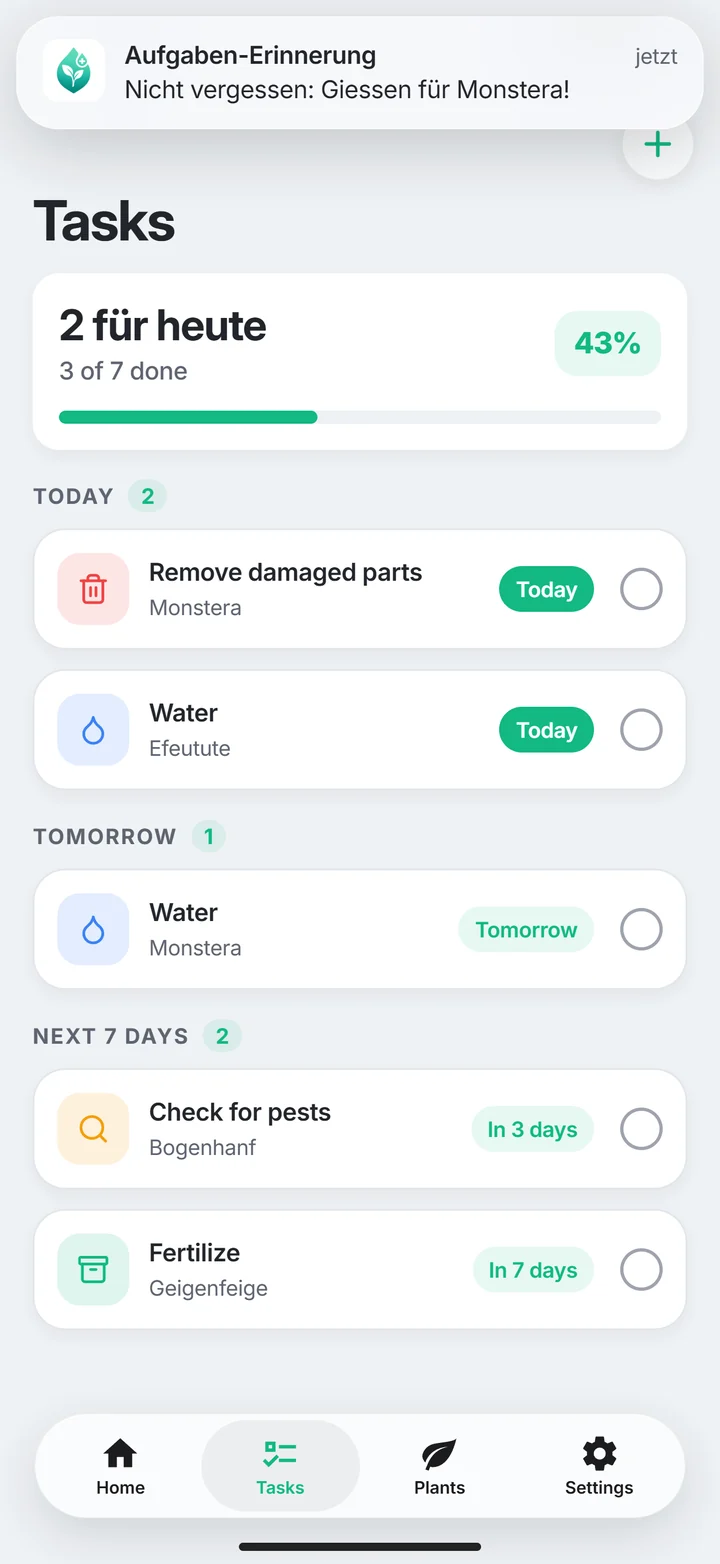
A few clear tasks are easier to follow than a crowded plan. PlantDoctor care tasks are available with Plus and Pro.
Give each task a clear purpose
Read a suggested care step fully before adding it. Do you understand what to check or do? If the cause is uncertain, begin with an observation. A task should describe a specific next action.
Separate checking from doing
A date to check soil does not mean you must always water. The same applies to fertiliser and removing plant parts. Assess condition before carrying out the action. Different plants can need different care on the same day.
Begin with a manageable rhythm
Connect a small plant check with something you already do regularly. Add only tasks you can follow. Review active tasks again after a change of location, pot or season.
Use reminders as support
Allow iPhone notifications if you want them. Check that the relevant task is active in the app. If reminders do not arrive, use the dedicated reminder help page. A notification does not establish thirst or prove that treatment worked.
Name checking and doing differently
Check moisture and water are different tasks. A checking date can be completed successfully without watering. Likewise, inspect undersides differs from applying a confirmed pest measure. Use clear wording so a reminder does not prompt unnecessary intervention. Actual tasks must fit available features. Better naming improves organisation; it neither expands allowances nor creates an automatic diagnosis from a checked-off date. Connect the task name to the observation you need rather than the treatment you assumed beforehand.
Prepare a helper with observations
If someone else checks plants, explain position, question and possible decision. Show the outer pot and removal of surplus water. Avoid one identical volume for all pots. The helper arrangement is your organisation; this guide promises neither shared account access nor automatic collection sharing. A short clear note can be as useful as a stable plant name. Important instructions should make appropriate action understandable outside the app too, especially if the helper sees a different moisture condition than expected.
Review the routine when conditions change
After moving, changing mix or starting heating, an existing sequence may no longer fit. Record the change and use the next date to inspect current conditions. Adjust a rhythm for an explained reason rather than adding tasks daily. Rapidly spreading damage exceeds ordinary routine care. Use the relevant problem route or seek advice. A reminder plan organises repeated care; it does not guarantee that every fresh abnormality can safely wait until the next alert or scheduled watering date.
Your quick check
- Each task has a clear purpose and plant.
- Soil is checked before watering.
- The number of tasks stays manageable.
- Active tasks are reviewed after changes.
Common questions about this topic
Are care tasks included in Free?
Care tasks are available with Plus and Pro. The app shows the current allowances.
Must I add every suggested task?
No. Choose only steps that fit your observations and the plant.