
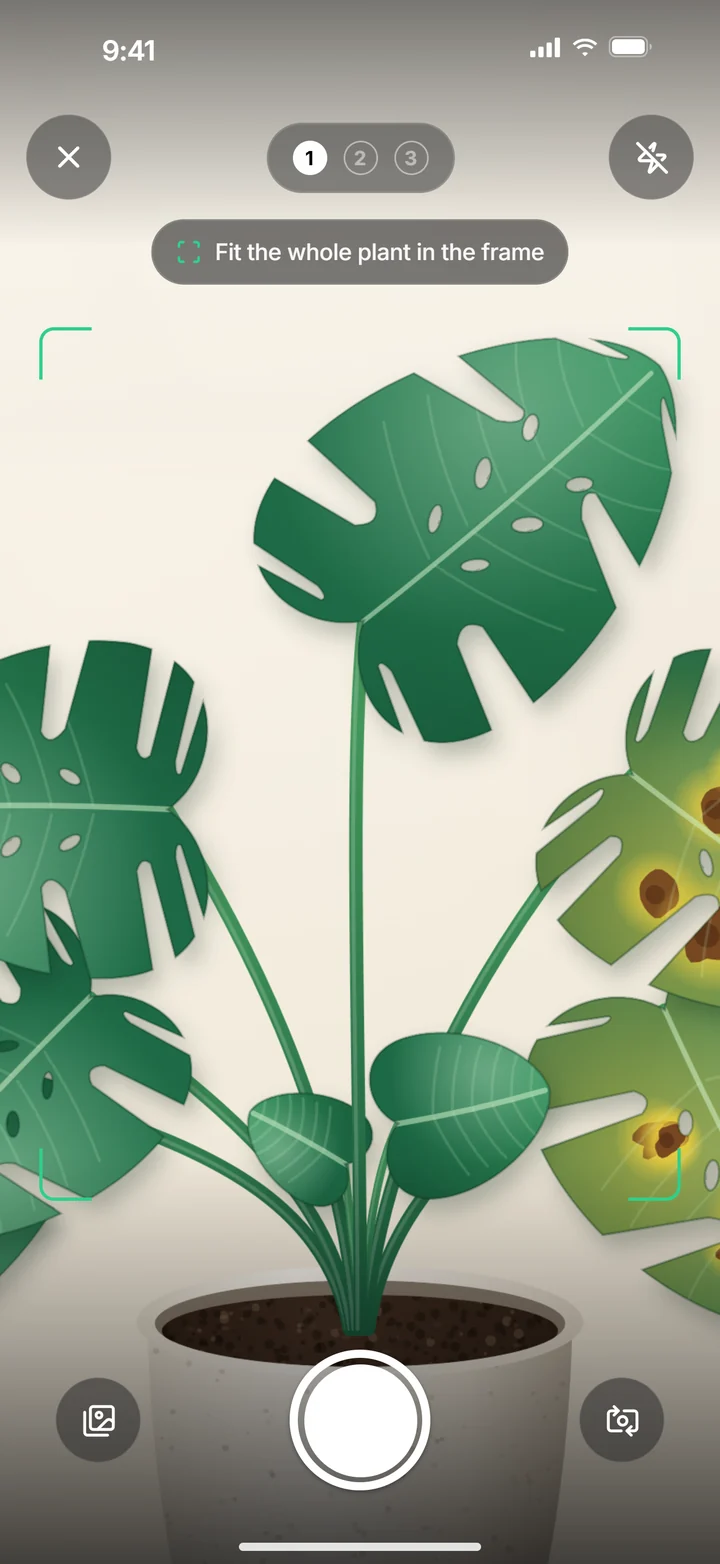
Each of the three views has a different purpose. Show context and detail rather than the same crop three times.
View one: the whole plant
Step back enough to show its shape and the distribution of affected leaves. Hold the iPhone steady and avoid a bright window directly behind the plant. A simple background helps you see it; elaborate rearrangement is unnecessary.
View two: leaves and stem
Show how leaves and shoots connect. If upper and lower areas differ, choose a view that captures this. Keep unusual areas in the picture even when healthy leaves look more attractive.
View three: the problem area
Choose the clearest affected area and stay far enough away for the camera to focus. Review the picture before continuing: is the spot visible or covered by a finger? Photograph coatings and webbing before removing them. Avoid colour filters.
Add your knowledge of the plant
Remember the watering date, location changes and when symptoms began. A photo does not reliably show these events. Compare the assessment with your own knowledge. You can keep extra pictures for a horticultural adviser separately.
Improve the photograph rather than beautify the plant
Leave relevant damage visible. Correct backlighting, distance and an obstructing finger first. If focus fails, step back slightly; extreme proximity does not automatically provide more detail. Keep colours natural. Filters or heavy brightening can change comparison. The aim is an understandable observation rather than an attractive marketing image. For a suspected animal, keep separate close-ups for advice without replacing the guided overall view. A clearer image should solve a visible problem in the previous capture.
Show the distribution explicitly
Include healthy upper areas when lower leaves are yellow. For one-sided window damage, show the difference in the overall image. Three crops of one patch provide less context than three appropriate views. Review each preview and follow the view actually requested. Retaking should improve an identifiable weakness. If angle changes but glare and blur remain, the main gap is still present. Judge the image’s information rather than simply whether it looks different from the previous attempt.
Assess images with their history
A photo cannot reliably know your last watering or moisture under a decorative surface. Record these details yourself and compare them with the result. This does not promise another text-input field in the scan. Remove private notifications from support images while keeping the relevant plant visible in horticultural advice images. Purpose and crop need to fit together. An aesthetically consistent image series does not replace checking information still missing from the picture, especially when moisture changes the next care decision.
Your quick check
- The whole plant is visible.
- Leaves and stem provide context.
- The affected area is sharp and unobstructed.
- Light and colours look natural.
Common questions about this topic
Should I remove damaged leaves first?
Keep relevant damage visible for the pictures. Decide about removal after assessing the problem.
Are more scans always better?
No. Useful images and new observations matter more than repeated scans without new information.